
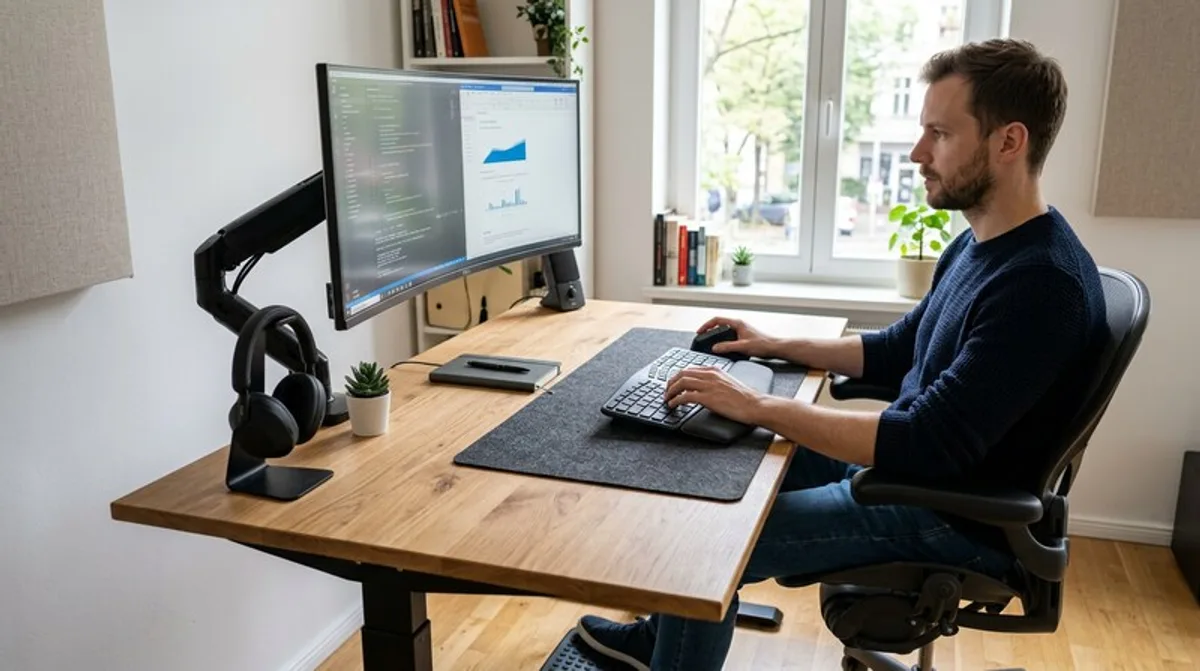
Ergonomic Keyboards & Mice: Your Office Upgrade
An ergonomic office is crucial for your health and productivity. We'll show you how to optimize your workflow and avoid back pain with the right keyboard and mouse.
Your office, your workspace – a place where you spend hours. But is it also a place where you feel comfortable and protect your health? Many underestimate how important the right equipment, especially ergonomic keyboards and mice, is for your productivity and physical well-being. This article explains why upgrading your office with ergonomic helpers makes sense and how you can save smartly in the process.
What You Should Know
Prolonged computer work can lead to discomfort such as carpal tunnel syndrome, RSI syndrome (Repetitive Strain Injury), and tension in the neck and shoulder area. This is often due to awkward postures and improper stress on the wrists and arms. This is where ergonomic keyboards and mice come in. They are designed to support your natural posture and reduce strain. But what exactly distinguishes them from conventional models?
Ergonomic keyboards are often split or have a curved shape to keep your wrists in a neutral position. Ergonomic mice are designed to support the natural hand position and minimize pressure points. There is a huge selection of different designs and technologies, so there is something for everyone.
- Observe Your Posture: Pay attention to your posture while working. Are your wrists bent? Is your neck tense?
- Keyboard Positioning: The keyboard should be positioned so that your upper arms are close to your body and your wrists are straight.
- Mouse Positioning: The mouse should be close to your body to avoid unnecessary movements.
- Regular Breaks: Get up regularly, stretch, and take short walks to promote circulation.
- Ergonomic Furniture: An ergonomic keyboard and mouse are only part of the puzzle. A well-adjustable office chair and a height-adjustable desk also contribute to improving your work environment.
Practical Tips
Choosing the right ergonomic keyboard and mouse can be overwhelming. Here are a few practical tips to help you decide:
- Try Before You Buy: If possible, go to a specialty store and try out different models. This way you can find out which shape and size are best for you.
- Pay Attention to the Wrist Rest: Many ergonomic keyboards and mice have a wrist rest. Make sure it is comfortable and provides good support for your wrists.
- Consider Your Work Style: Do you need many special keys? Do you mainly use the mouse or type a lot? This