
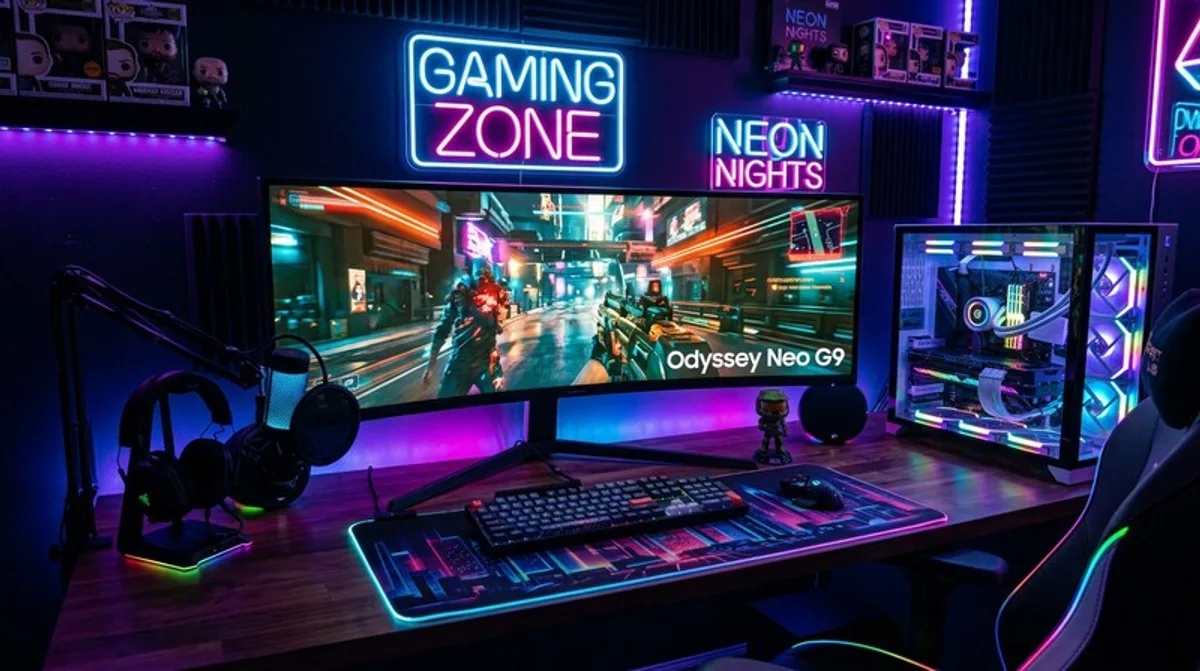
Curved Gaming Setup: Neon Look & Discount Deals
Get the trendy neon look for your gaming setup! We'll show you how to create an impressive gaming environment with curved monitors and smart deals.
Gaming is more than just a hobby – it's a passion, a community, and a lifestyle. And what could be better than celebrating that passion in a stunning, personalized gaming setup? In this blog post, we'll dive deep into the world of curved gaming monitors, neon decorations, and show you how to create your ultimate, impressive gaming setup – while also saving money!
What You Should Know
Curved gaming monitors have experienced a real boom in recent years, and for good reason. The curved shape, often called "bowed," creates a more immersive gaming experience. Instead of staring at a flat screen, the image surrounds you, significantly improving your immersion in your favorite games. But a curved setup is more than just a curved screen. It's a total experience defined by the right lighting, the right accessories, and of course, your personal style.
The neon look, inspired by cyberpunk and futuristic aesthetics, has also become a popular trend. Neon tubes, LED strips, and other luminous elements create a unique atmosphere that transforms your gaming setup into a real highlight. The combination of a curved monitor and neon lighting is a near-perfect symbiosis that creates an unparalleled visual experience.
Before you dive into the world of curved gaming monitors and neon decorations, you should consider a few important aspects. The size of the monitor should fit your desk and your viewing distance. Resolution and refresh rate are also crucial factors for a smooth and sharp gaming experience. And of course, your budget plays a role. There are curved gaming monitors in various price ranges, so there's something for everyone.
- Monitor Size and Resolution: Choose a size that fits your desk and a resolution that meets your needs. Full HD (1920x1080) is a good start, but for an even sharper picture, you should opt for QHD (2560x1440) or even 4K (3840x2160).
- Refresh Rate (Hz): A higher refresh rate (e.g., 144 Hz or 240 Hz) provides a smoother and more responsive gaming experience, especially in fast-paced games like shooters.
- Response Time (ms): A lower response time (e.g., 1ms) minimizes motion blur and ensures sharper images.
- Connections: Make sure the monitor has the necessary connections (HDMI, DisplayPort) for your graphics card and other devices.
- Neon Lighting: Experiment with different neon colors and patterns to create the perfect atmosphere for your setup. LED strips are a cost-effective and versatile option.